Yesterday I argued that a framework should give you more than the OS does. Here’s the test case. Nobody ships a calendar view you can fill with your own appointments, or a Gantt chart. Not iOS, not Android, not Flutter, not React Native, not Kotlin Multiplatform, not .NET MAUI. Every one of them leaves you with a date picker and a blank screen. If your app books haircuts, plans shifts or tracks a project, you write that screen yourself, once per platform if you went native, or you license a commercial component and pay for it every year. Codename One ships both, in the box, free.
Codename One now ships a scheduler, a Gantt chart with resource leveling, and Material 3 date and time pickers. Codename One draws its own UI, so these are the same component, pixel for pixel, on iOS, Android, the desktop and the web, and they take their look from your CSS.
A scheduler in ten lines
The model and the UI are separate. com.codename1.scheduling holds the data with no UI, so the same classes work in your server code. com.codename1.ui.scheduler draws it.
ZoneId zone = ZoneId.systemDefault();
long today = TimeMath.epochDay(System.currentTimeMillis(), zone);

DefaultScheduleModel model = new DefaultScheduleModel();
model.addItem(new ScheduleItem("review", "Design review",
        TimeMath.at(today, 13 * 60, zone), TimeMath.at(today, 14 * 60 + 30, zone))
        .setDetail("Room 2"));

Scheduler scheduler = new Scheduler(model);
scheduler.setView(Scheduler.View.WEEK);

Form form = new Form("Schedule", new BorderLayout());
form.add(BorderLayout.CENTER, scheduler);
form.show();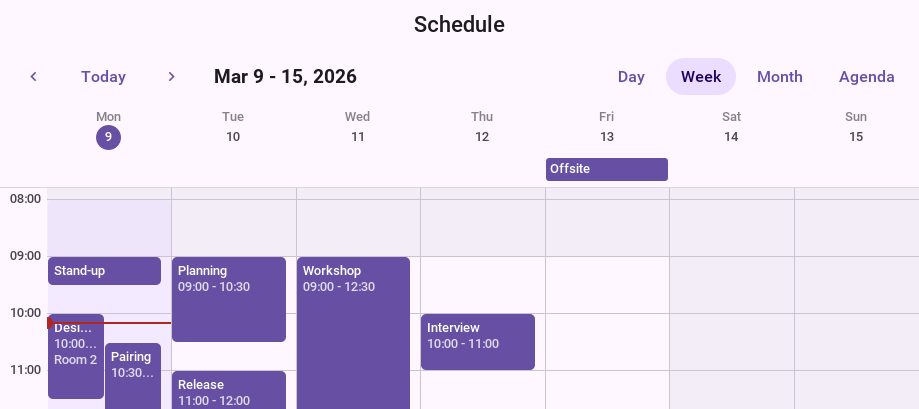
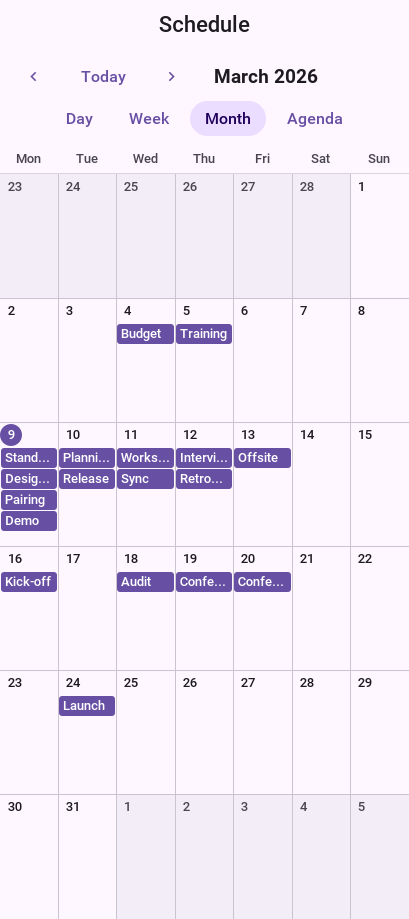
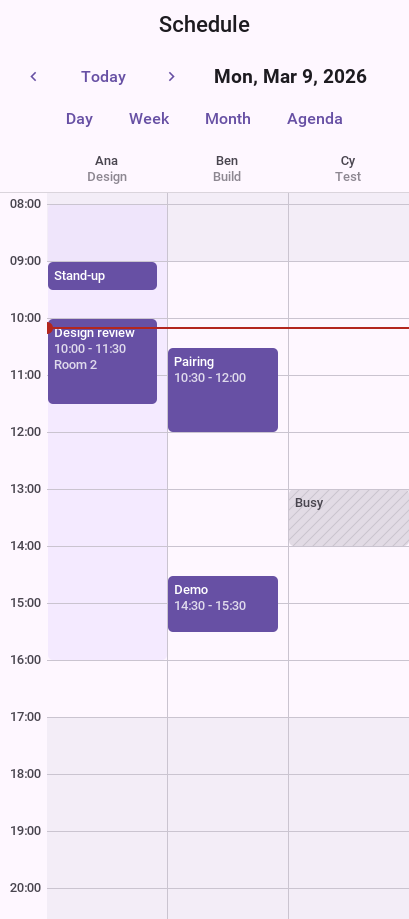
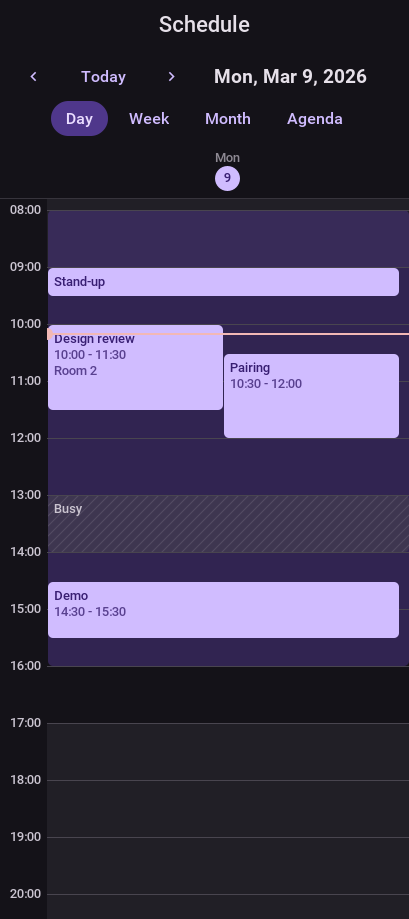
Scheduler.View gives you DAY, WORK_WEEK, WEEK, MONTH, AGENDA and RESOURCE_DAY, and there’s a resource timeline for “who’s busy when” screens. Items can be dragged and resized with snapping (setSnapMinutes), the working hours come from a WorkCalendar, and setZone lets a clinic in Berlin see the schedule in Berlin time while the phone is in Lisbon.
A Gantt chart that knows who’s doing the work
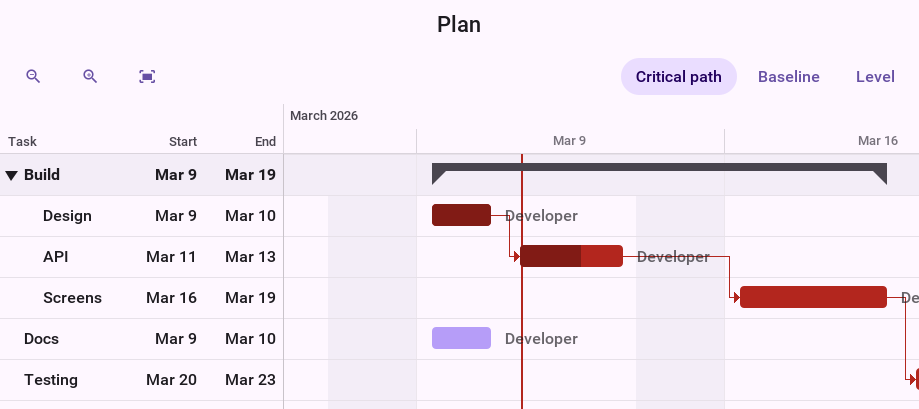
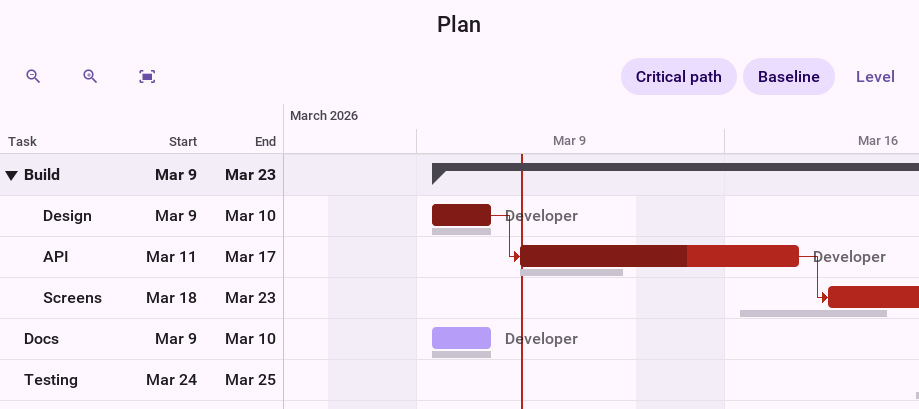
The Gantt component reads a ProjectModel: tasks with durations, dependencies between them and the people assigned to them. It draws bars you can drag, dependencies you can link by dragging from one bar to another, a baseline to compare against, collapsible groups and the critical path, which is the chain of tasks where any delay moves the end date.
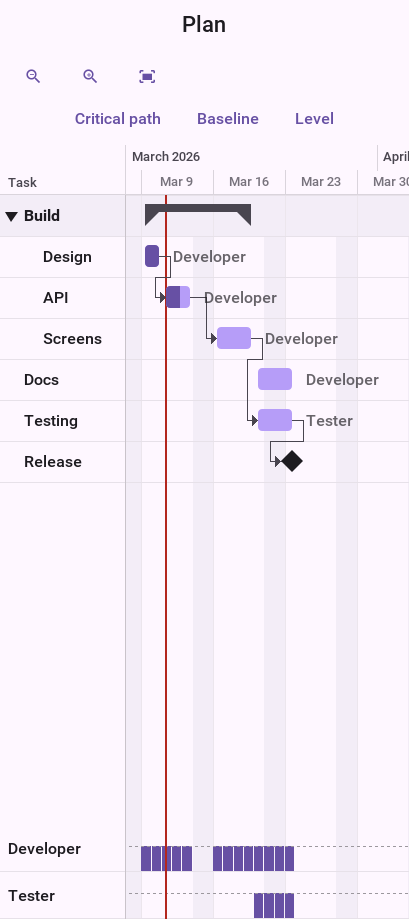
The part I’m proudest of is resource leveling. A plan that looks fine on paper often has the same developer on two tasks in the same week. ResourceLeveler finds those overallocations and proposes a fix, and you decide whether to apply it:
WorkCalendar calendar = new WorkCalendar();
ProjectModel project = new ProjectModel(calendar, System.currentTimeMillis());
project.addResource(new ScheduleResource("dev", "Developer"));
project.addTask(new GanttTask("api", "API", 3 * calendar.getMillisPerDay()).assign("dev"));
project.addTask(new GanttTask("screens", "Screens", 2 * calendar.getMillisPerDay()).assign("dev"));
project.update();

if (!ResourceLeveler.findOverallocations(project).isEmpty()) {
    LevelingResult proposal = ResourceLeveler.level(project);
    long slip = proposal.getFinishAfter() - proposal.getFinishBefore();
    if (proposal.isChanged() && Dialog.show("Level resources",
            proposal.getChangedTasks().size() + " tasks move; the project ends "
                    + slip / TimeMath.DAY + " days later.", "Apply", "Cancel")) {
        proposal.apply();
    }
}
The proposal tells you which tasks move and how much later the project ends, before anything changes. The load histogram under the chart shows the result: no more stacked bars for one person.
tasks, links, people] --> S[ProjectScheduler
dates from work calendar] S --> O{ResourceLeveler
overallocated?} O -->|no| G[Gantt draws it] O -->|yes| L[LevelingResult
what moves, new end date] L -->|user applies| G
Material 3 pickers, styled your way
The date, time and date and time pickers now come as Material 3 dialogs: a month grid with a year list and a field to type the date, and a clock dial with a keyboard mode. Apps on the Android Material native theme get them with no code. Any other theme asks for them with one constant:
#Constants {
    pickerStyle: "material";
}
Existing Picker code doesn’t change. Branding them is a few rules on the PickerMaterial UIIDs:
PickerMaterialDay.selected {
    background-color: #0f766e;
    color: #ffffff;
}

PickerMaterialDial.selected {
    background-color: #0f766e;
    color: #ffffff;
}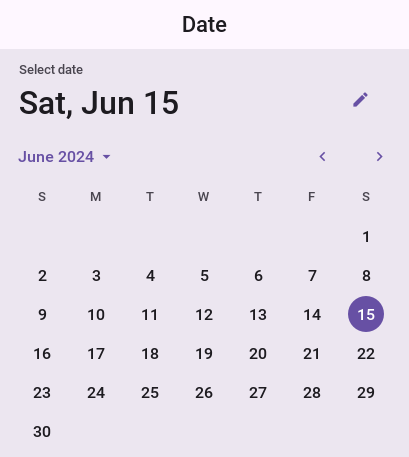
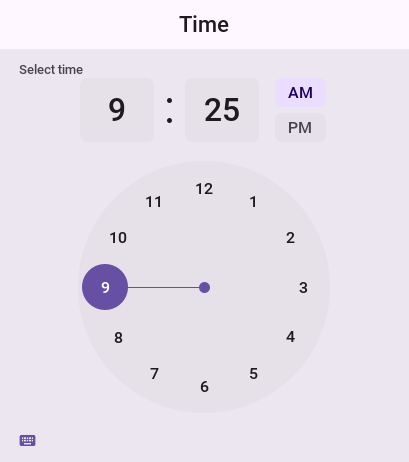
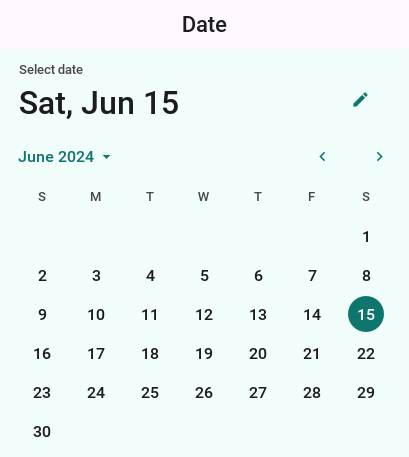
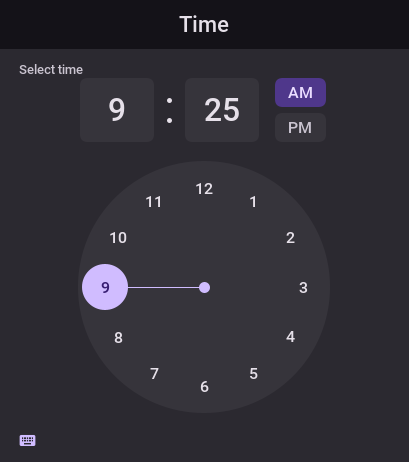
This is the lightweight argument in one picture. A native date picker looks the way Apple or Google decided it looks this year. These look the way you decide, on every device, and a field that needs the platform’s own dialog can still ask for it with setUseLightweightPopup(false).
Slate: a booking app you can ship
Slate is our new full-stack template: an appointment booking app and its server, in one Maven project. Salons, clinics, tutors, personal trainers: anyone who sells time. Generate it from the Initializr under your own name and package. The source is MIT-0, so you owe nothing and credit nobody.
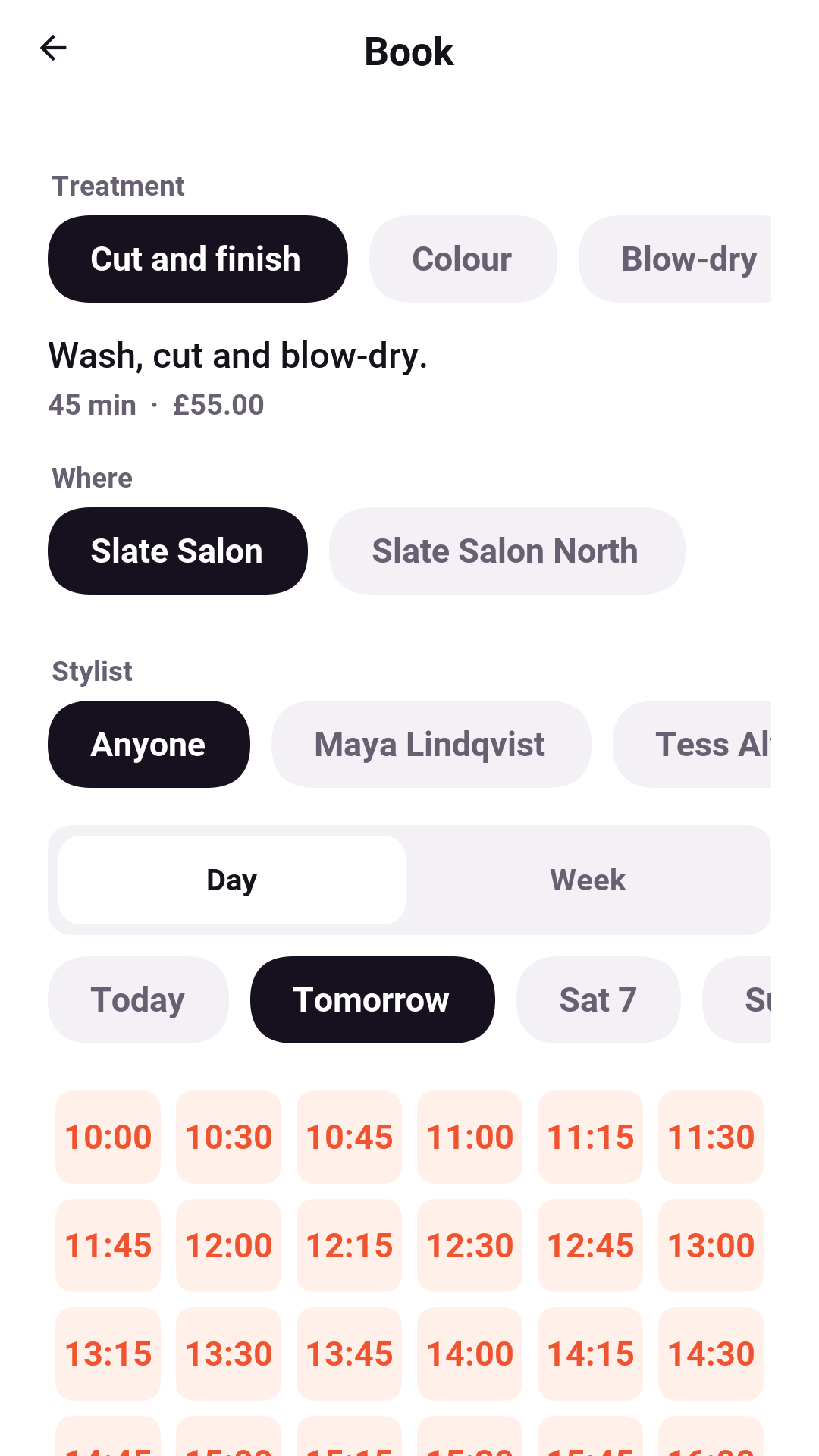
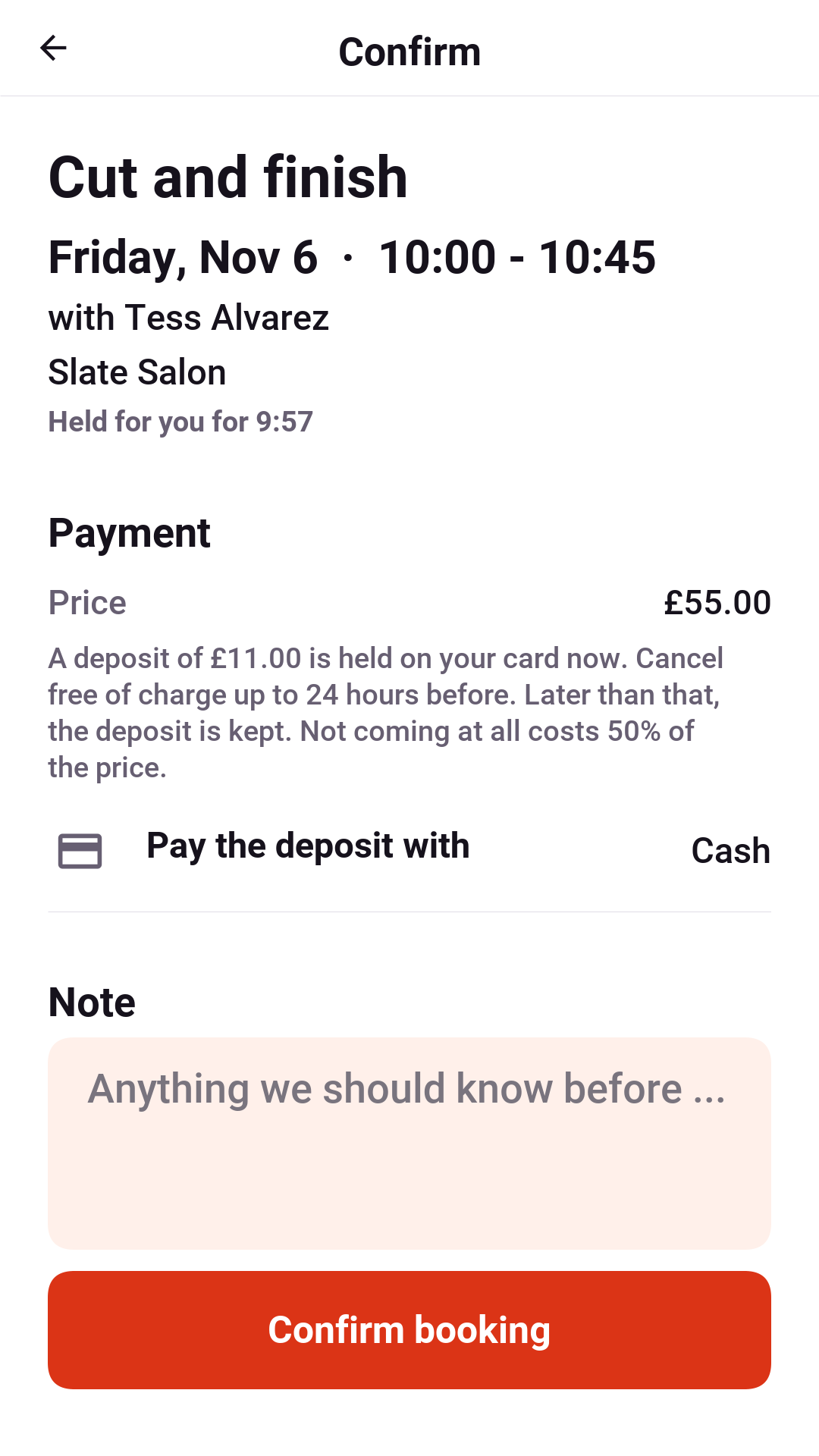
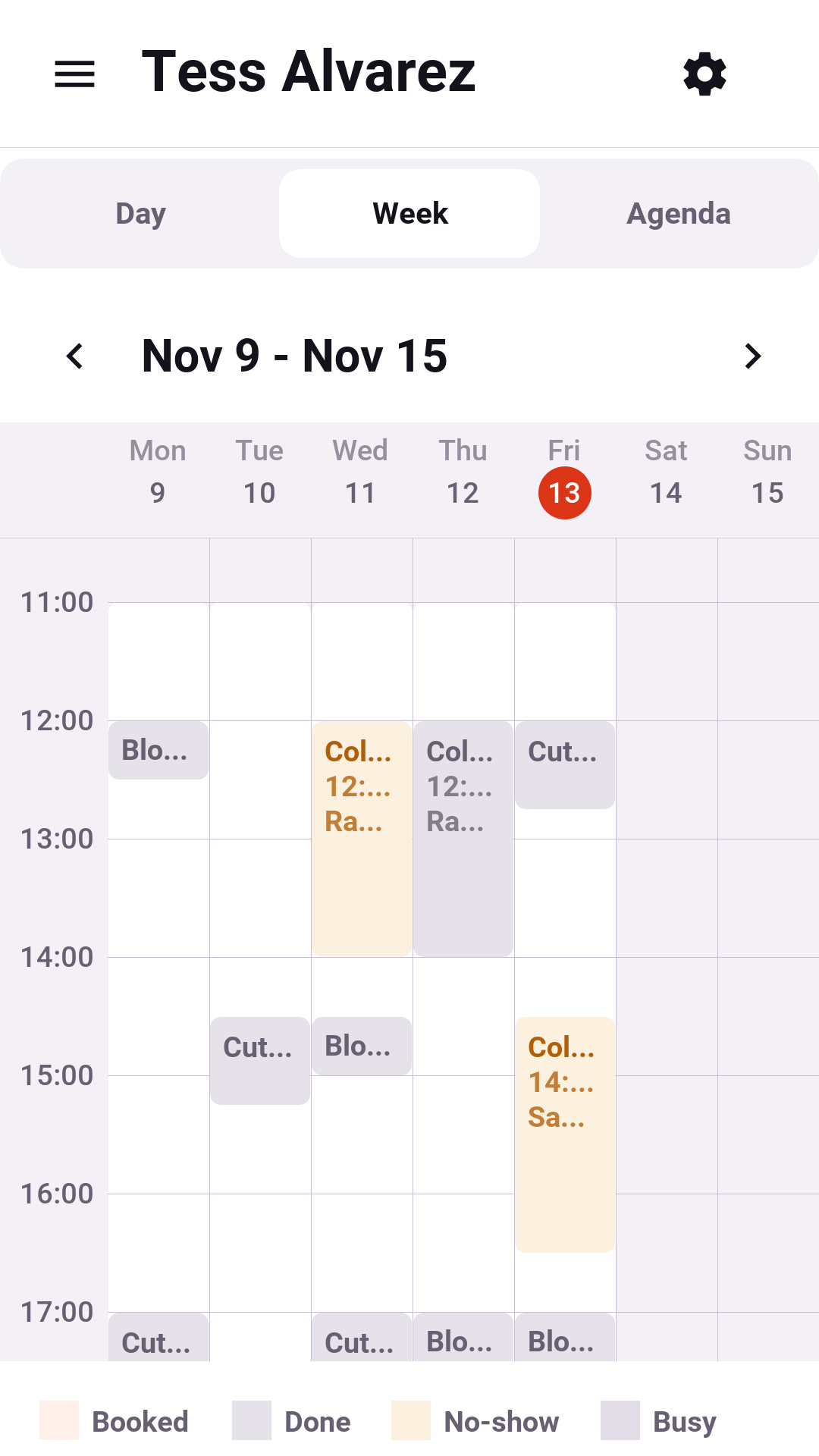
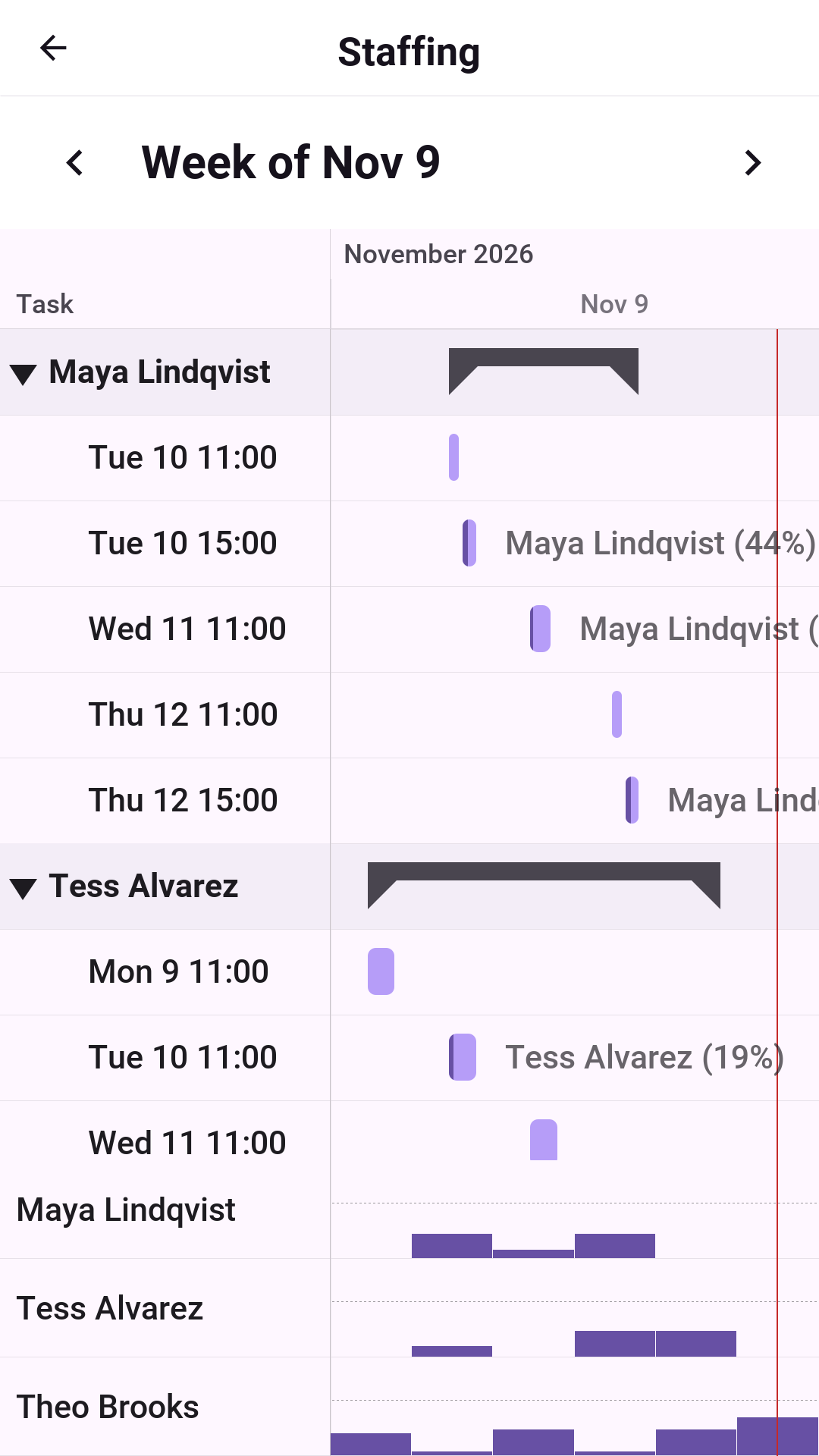
It has three roles, and the server decides which screens an account sees:
- Clients see free times by day or week, with times that clash with their own phone calendar marked. A hold keeps the slot while they book, they can pay a deposit, and the booking lands in their calendar with a reminder that moves if they reschedule. There’s a waitlist for full days.
- Providers manage hours and time off, mark appointments complete or no-show, and sync their calendars from the phone, Google, Microsoft or an ICS address. Event titles never leave the device; Slate only needs to know when they’re busy.
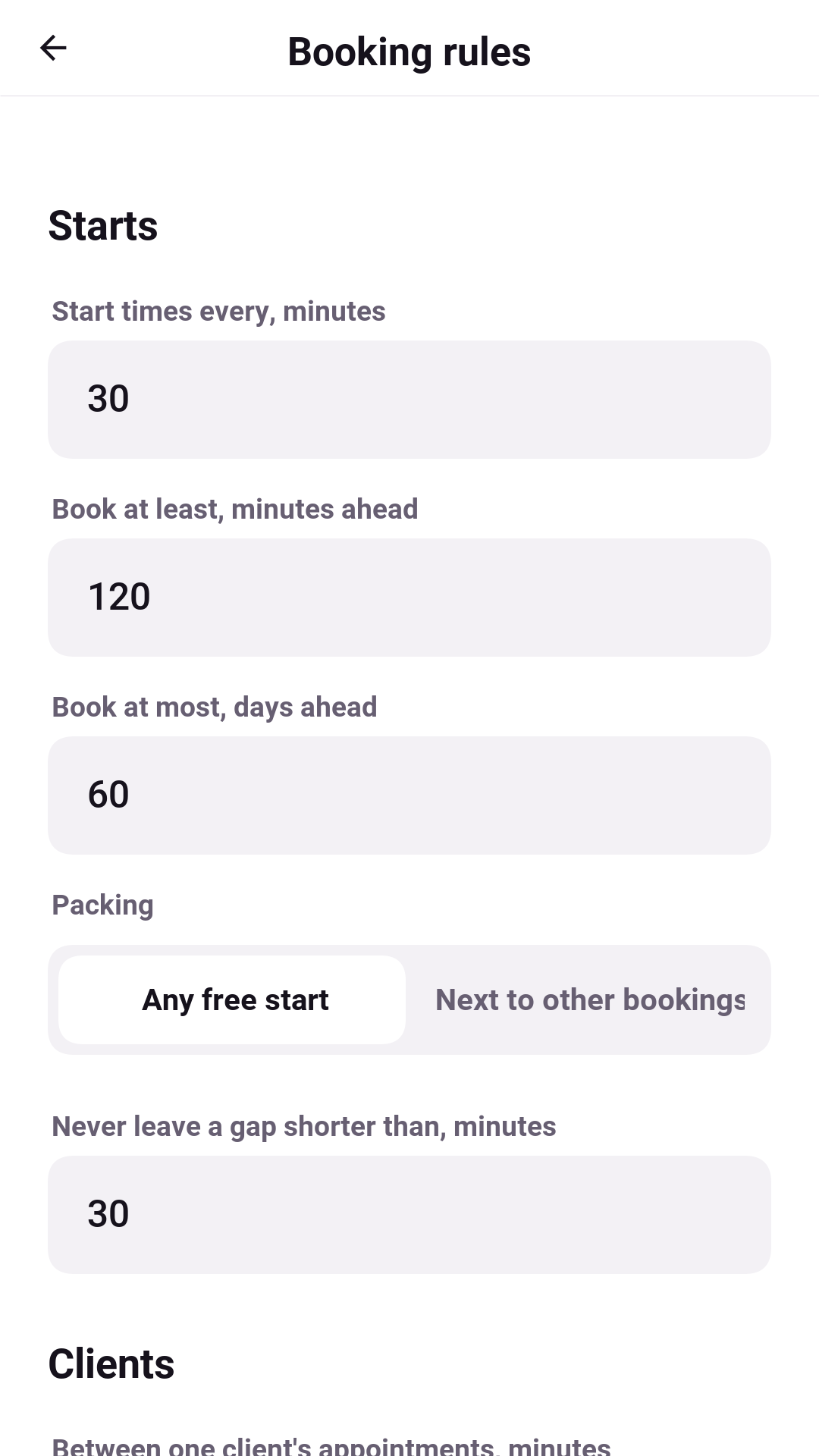
- Owners get a dashboard, a board for the day, a staffing plan for the week, the service catalog and booking rules they can preview on a real day before saving them.
The hard part of a booking product is the slot engine, and that’s where most of Slate’s server lives. It weighs providers, rooms, buffers between appointments, travel time, gap rules and the client’s own calendar together, and the hold prevents two clients from getting the same slot.
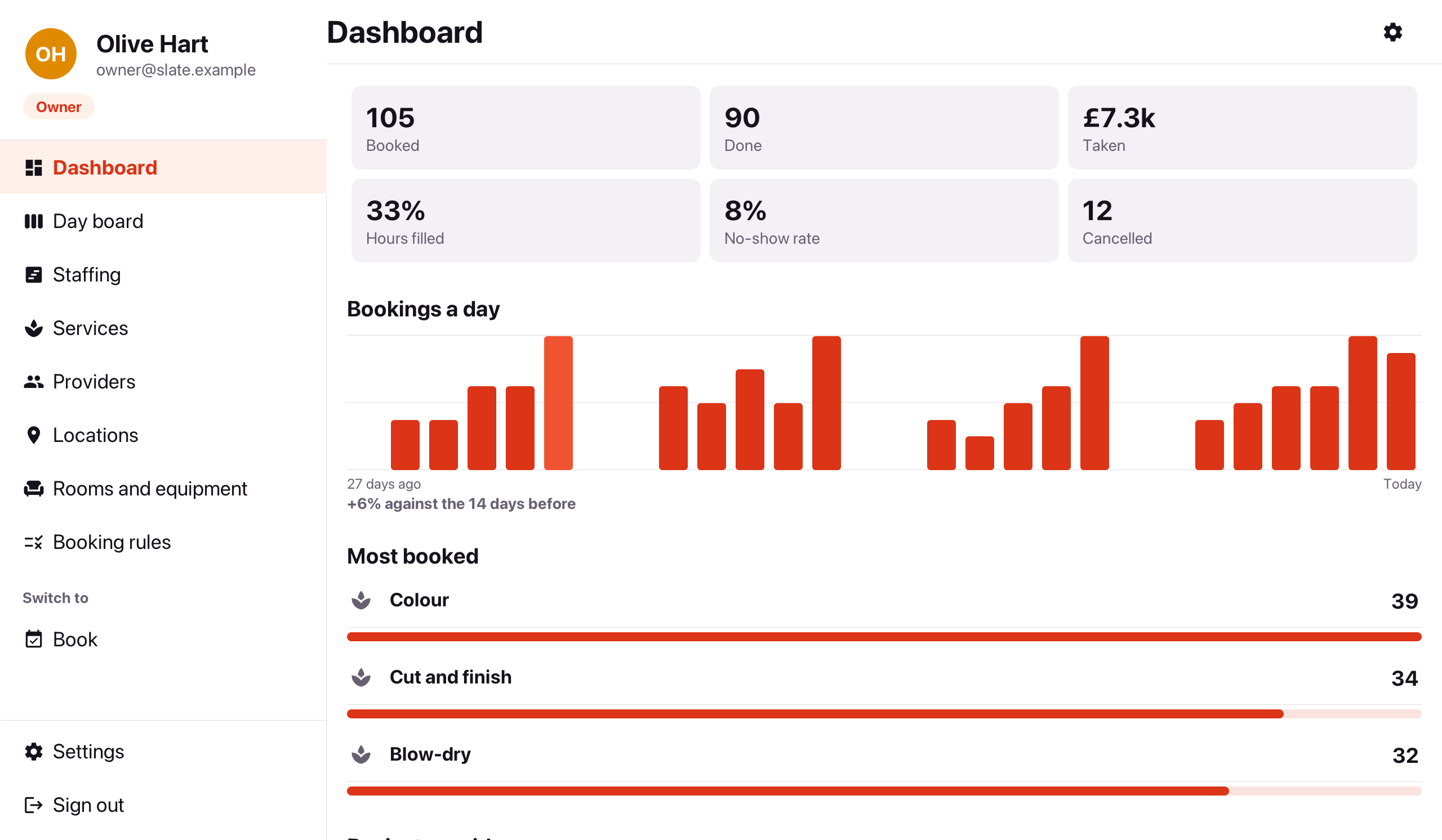
It runs on iOS, Android, the desktop and the web, and the backend runs on SQLite, PostgreSQL, MySQL, or MariaDB.
Slate runs on the scheduler and the Gantt chart
Slate’s calendar screens are the components in this post. The provider’s day and week are Scheduler views, and the owner’s day board is the RESOURCE_DAY view with a column per provider. The owner’s staffing plan is a Gantt chart: a row per provider, a bar per shift filled as far as it’s booked, and the resource load under it showing who has room this week. The implementor’s guide walks through how a week of schedules becomes a project model.
Learn more
The Scheduling and Gantt charts chapter covers every view, renderer, listener and CSS hook, including printing with SchedulePrinter. The pickers are under “Material date and time pickers” in the components chapter, and Slate has a user’s guide and an implementor’s guide.
If you build planning or booking software, I’d like to know which view you need that isn’t there yet.